Pixel Art Editor

wombat2D

A browser-based tool for creating and fine-tuning pixel art.

A compact tool packed with useful features

Pixel Refine

Pixel Refine

Import AI-generated pixel art or rough low-resolution artwork and convert it into cleaner, more accurate pixel art.
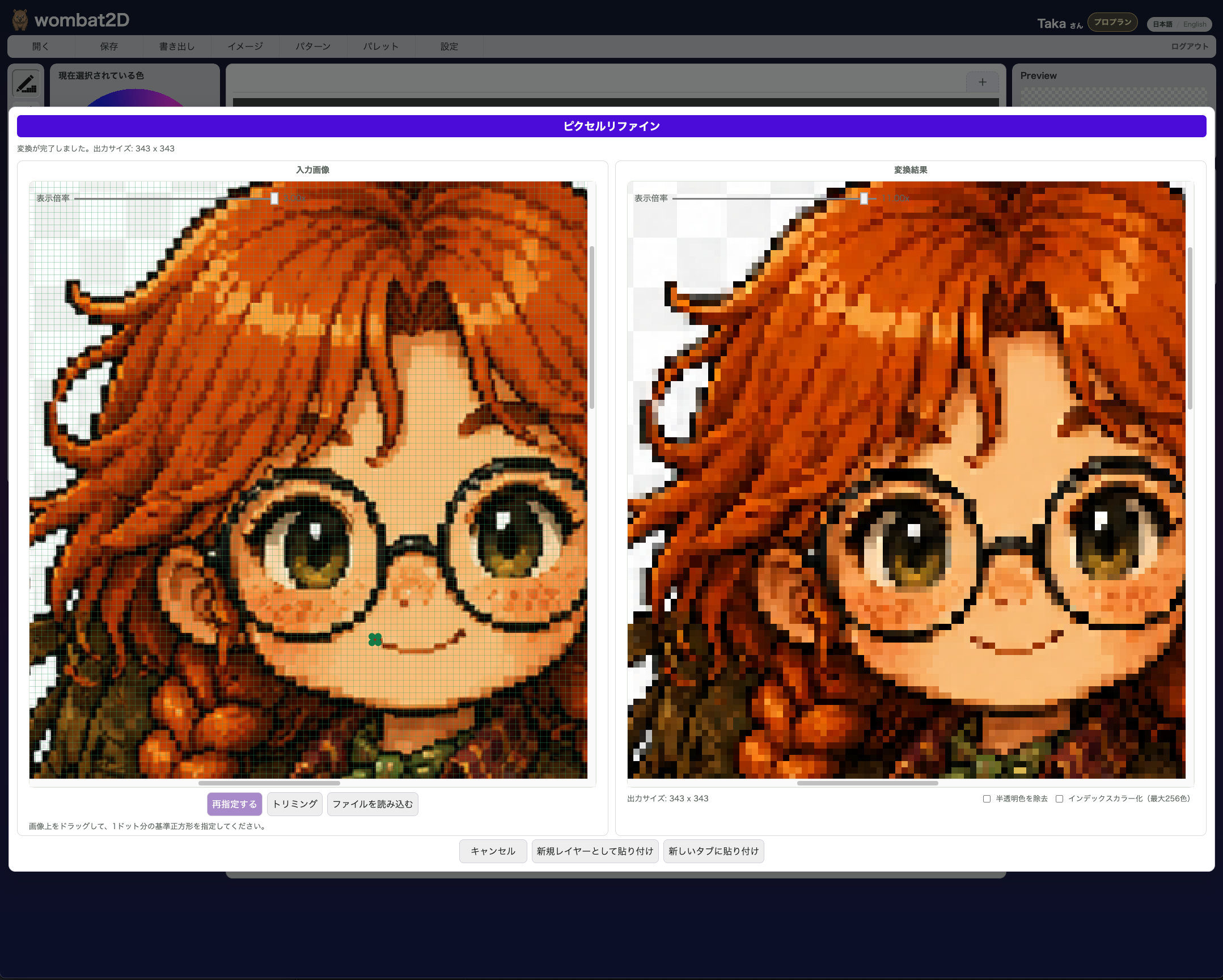
Pixel Refine screen showing the source image and converted result side by side

Sprite Sheet

Sprite Sheet

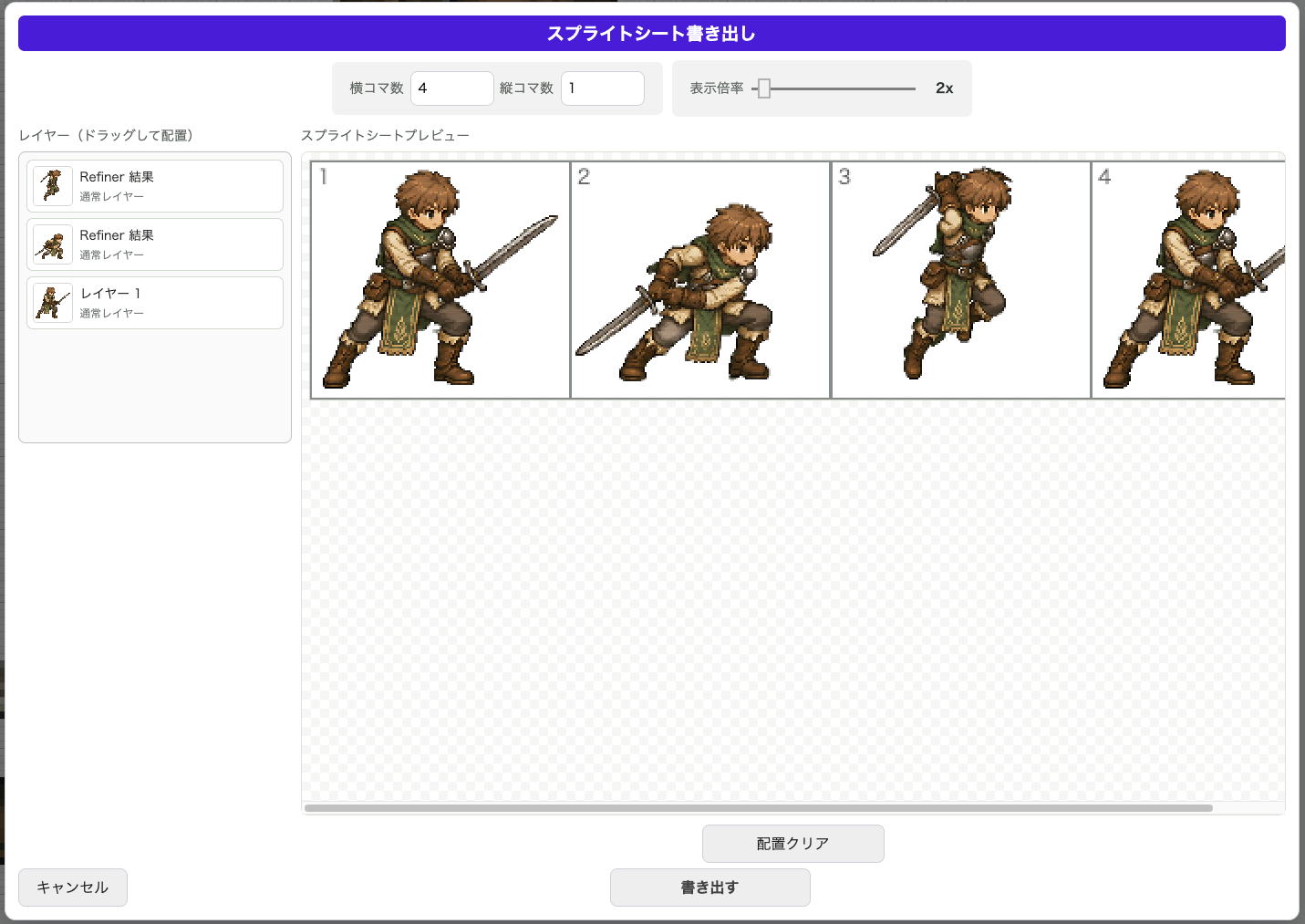
Place layers into a sprite sheet and export them as PNG files. It is built to support game development workflows.
Sprite sheet export screen

Merge Colors

Merge Colors

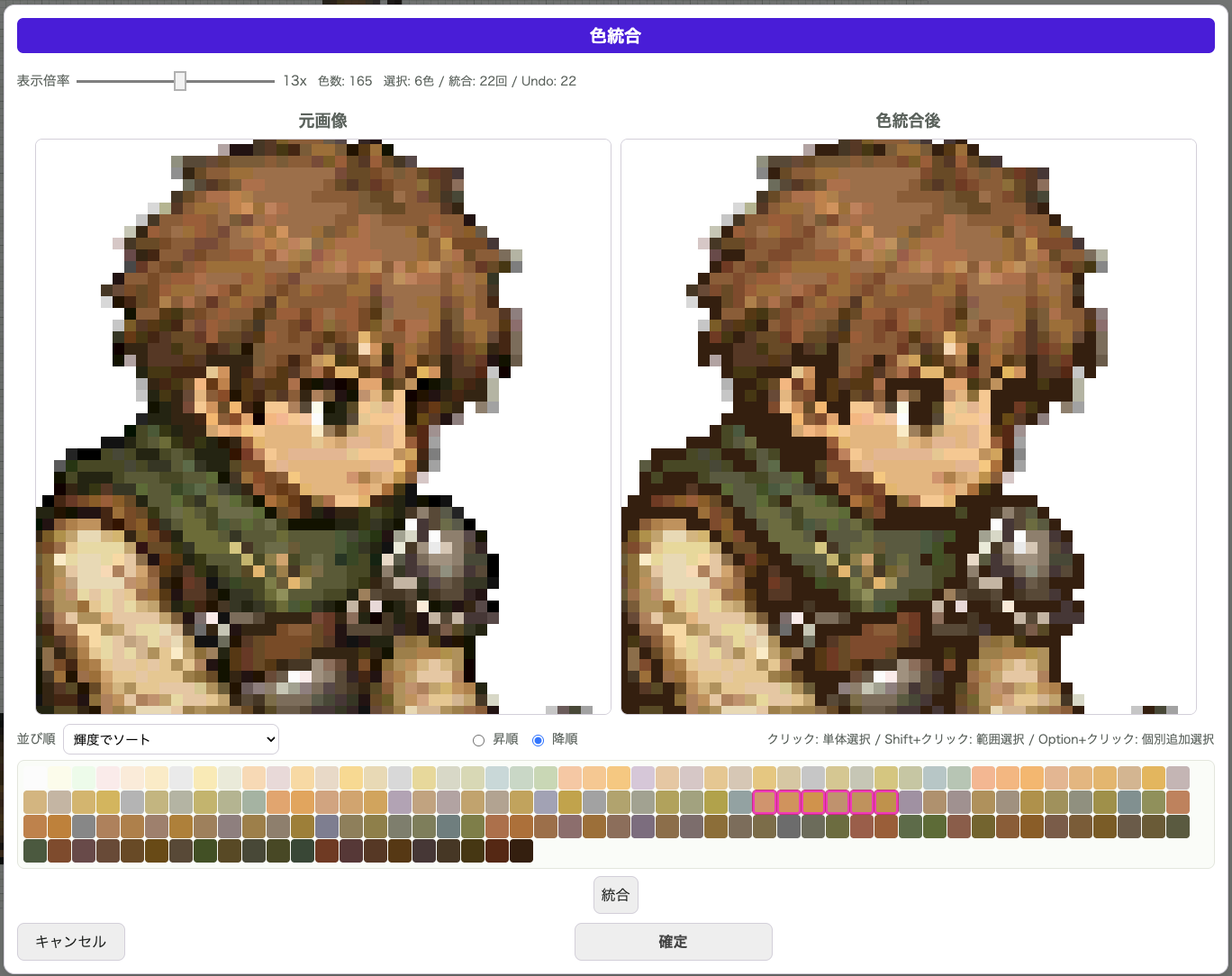
Merge selected similar colors to reduce the palette while keeping the atmosphere you intended.
Merge Colors screen comparing the original image with the merged-color result

Dithering

Dithering Tools

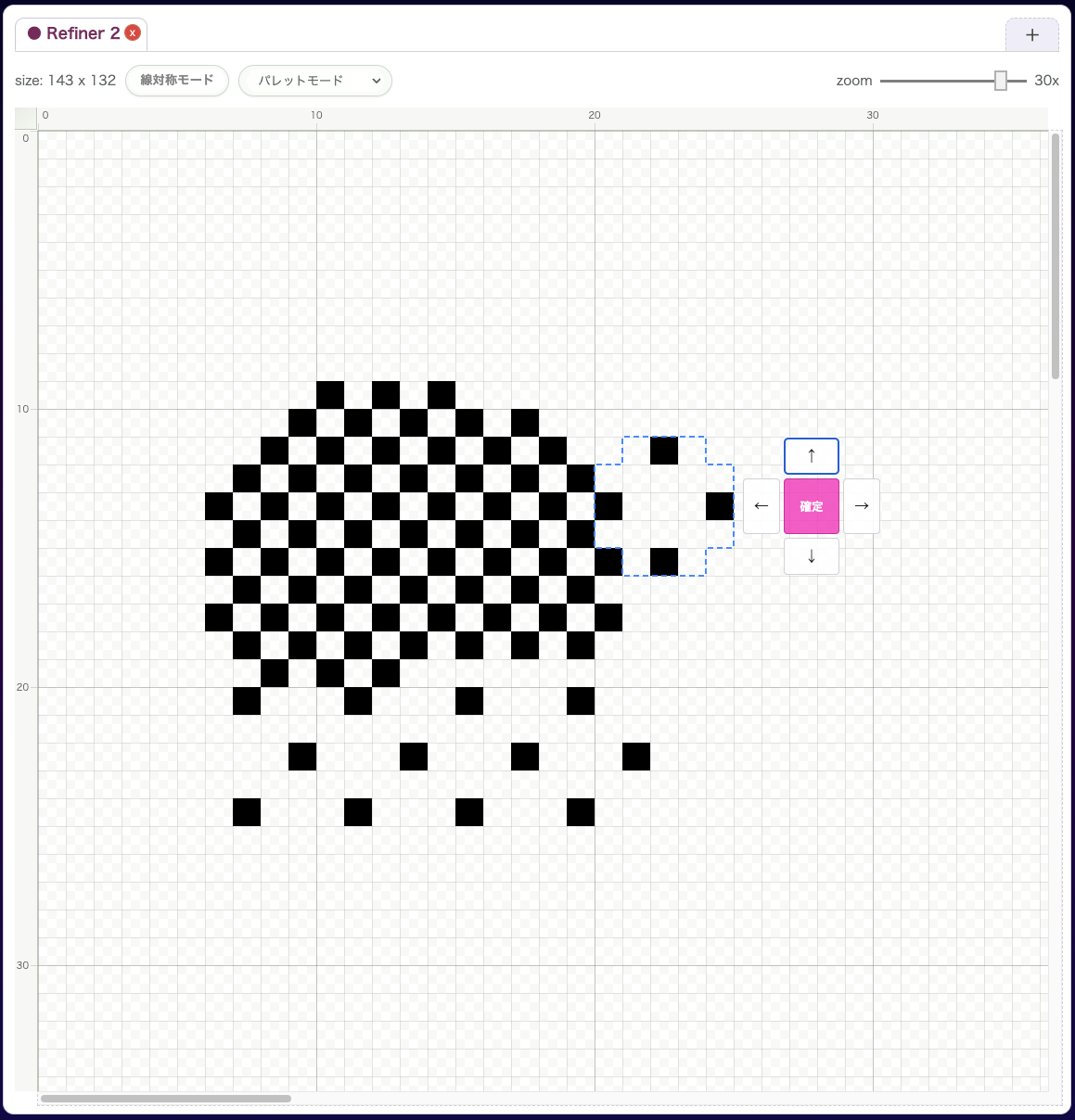
Dithering helps create gradients and textures with limited colors. After drawing or filling with dithering, you can fine-tune the pattern position.
Editor screen with canvas, preview, and layer panel

Basic functions

Essential Tools Included

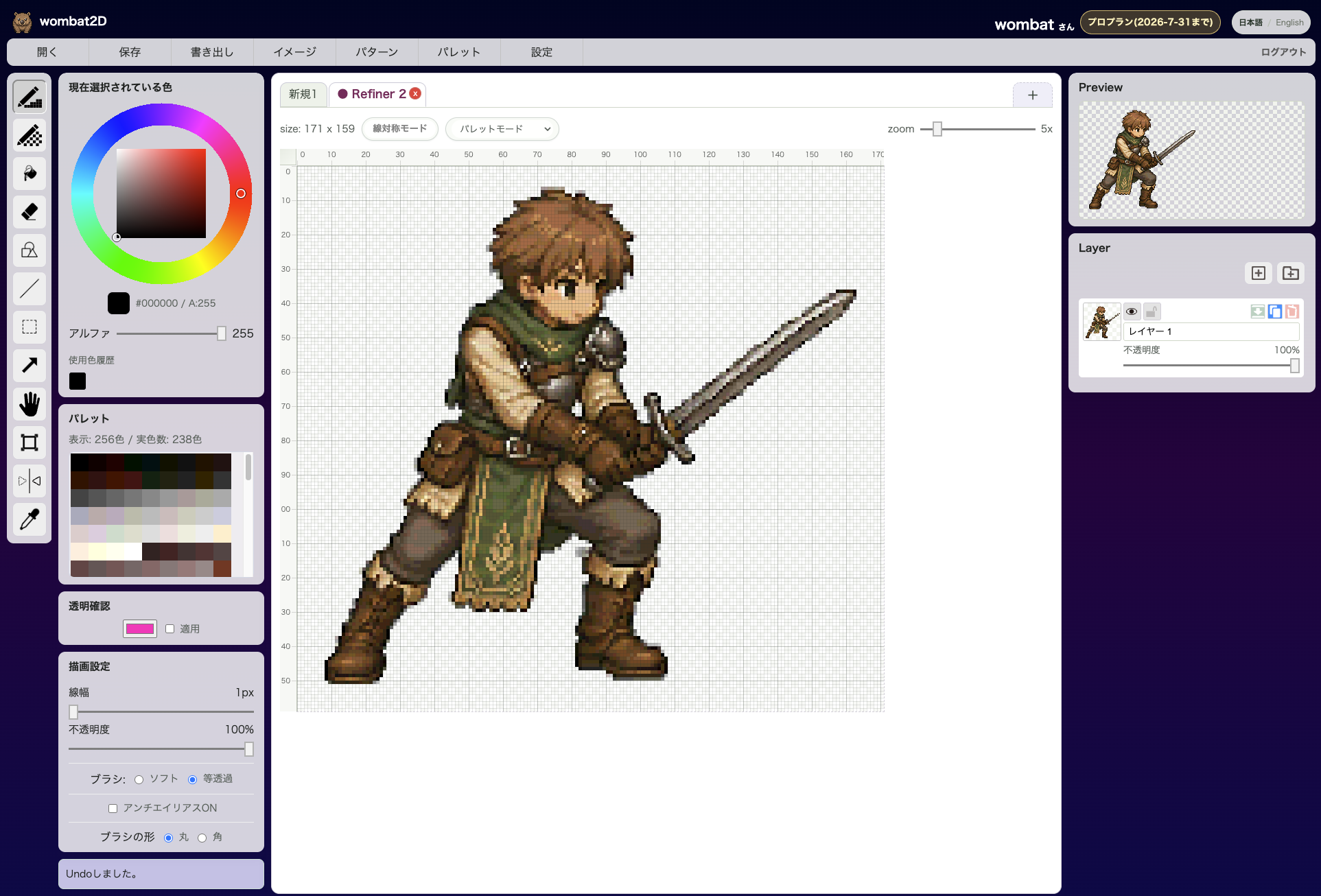
Pen, bucket, crop, rotate, symmetry editing, color balance, and other everyday tools are ready to use.
Editor screen with canvas, preview, and layer panel

Plans

Pricing Plans

The free plan is powerful enough for plenty of creative work.

Beginner Plan

Free

A free starter plan for trying the basics

  • Canvas up to 64x64px
  • Up to 5 layers
  • Sprite sheets up to 4 frames

Pro Plan

Paid(tax excluded)

A Pro plan built for broader creative needs

  • Canvas up to 512x512px
  • Up to 64 layers
  • Dithering pattern creation
  • Unlimited sprite sheet frames
  • 5 MB storage
  • Advanced editing features

Contact

Contact

Send questions or requests about wombat2D from here.